Phone Wallet Setup South Africa: Turn Your Smartphone Into a Daily Life Hub

A practical guide to setting up a phone wallet in South Africa for tap-to-pay, store cards, tickets, and receipts—plus the small settings that make it safer and smoother.
I realised my “wallet” was doing too much (and my phone was doing too little)
You know that moment at the till when the queue is breathing on your neck, the card machine is doing that slow “connecting…” thing, and you’re digging through a wallet that’s basically a mini filing cabinet? Eish. That was me—often.
Then I noticed something: I already carry my phone everywhere. I guard it like it’s a newborn. I charge it before bed. I’m more likely to forget my wallet at home than my phone. So why wasn’t my phone doing the heavy lifting?
Discovery: a proper “phone wallet” setup isn’t just tap-to-pay. It’s your bank cards, store cards, boarding passes, parking tickets, receipts, loyalty points, even your medical aid membership details—all arranged so your day flows smoother. And in SA, where we juggle load shedding, dodgy signal in parking basements, and the occasional “system is offline”, the setup matters.
Game changer: once your phone becomes the hub, you spend less time searching, less time swiping, and weirdly… less money “accidentally” vanishing.
Review: What a good phone wallet setup looks like in South Africa
Let’s break down what’s realistic here (not Silicon Valley fantasies).
The core pieces (what you actually need)
A solid SA-friendly phone wallet usually has:
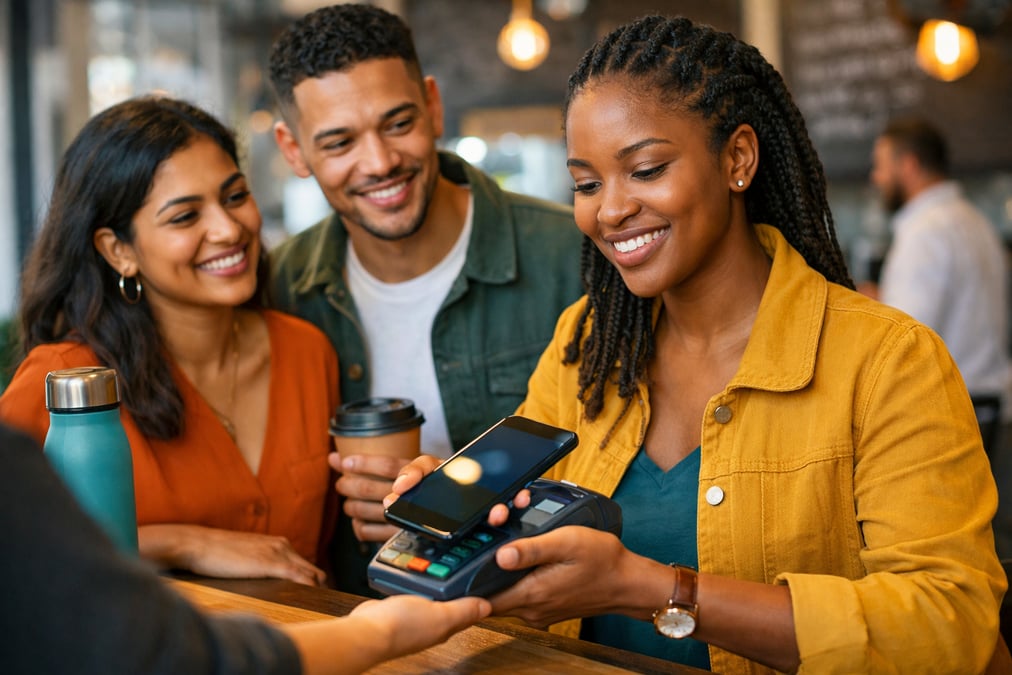
- Tap-to-pay (NFC payments) via your bank’s wallet or a supported platform
- Digital store/loyalty cards (Clicks, Dis-Chem, Pick n Pay Smart Shopper, Woolies, etc.)
- Tickets and travel docs (boarding passes, event QR codes, Gautrain tickets depending on how you buy)
- Receipts and warranties (especially for electronics—because returns are a sport)
- A lock + recovery plan (if your phone goes missing, you don’t want a financial horror movie)
And yes, you can do this on both Android and iPhone. The steps differ, but the logic is the same: reduce friction, increase safety.
The “SA reality” check: where it goes wrong
Here’s what trips people up locally:
- Cards not supported on certain wallet apps (varies by bank and platform)
- Battery anxiety (load shedding says hi)
- Merchants with older terminals or staff who aren’t sure if tap-to-pay works
- Too many apps—you end up with 6 loyalty apps and still no idea where your points are
WARNING
If you don’t have a screen lock (PIN/biometric) and remote wipe enabled, don’t set up tap-to-pay. You’re basically leaving your “wallet” on the pavement.
Quick comparison: physical wallet vs phone wallet (SA edition)
| Feature | Physical wallet | Phone wallet setup |
|---|---|---|
| Speed at tills | Depends on digging skills | Usually faster (tap + face/fingerprint) |
| Lost/stolen risk | Cards usable immediately | Can be locked/wiped remotely |
| Load shedding impact | None | Battery matters (plan for it) |
| Loyalty cards | Bulky, easy to forget | Stored, searchable |
| Receipts/warranties | Crumpled paper chaos | Can be filed instantly |
Personal take: I still carry one physical card as a backup, because ja no—some days the universe wants drama.
How to apply: Build your phone wallet in 30 minutes (without breaking your banking)
This is the “do it once, enjoy it daily” kind of setup.
Step 1: Lock down the basics first (5 minutes)
Before adding cards, fix your security. Practical example: if you lose your phone at a braai (it happens), you want to lock it while you’re still looking under the couch cushions.
Do this checklist:
- Enable a strong lock screen: 6-digit PIN minimum, plus Face ID/fingerprint.
- Turn on “Find My” / device tracking (Android: Find My Device; iPhone: Find My).
- Set SIM PIN (so someone can’t pop your SIM and start receiving OTPs).
- Enable app lock for your banking app if your phone supports it.
If you’re unsure about the official steps, the SA Reserve Bank’s consumer education pages are a good neutral reference point for safe digital banking habits: https://www.resbank.co.za
Practical example: On Android, add a SIM PIN and then restart your phone once—just to confirm you actually remember the PIN. Because “I’ll remember” is a lie we tell ourselves.
Step 2: Choose your payment route (10 minutes)
There are two common setups:
Option A: Use your bank’s wallet/app
Many SA banks support tap-to-pay via their own apps or partnerships. The advantage is tighter integration with your account, notifications, and sometimes better local support.
Practical example: If you’re budgeting hard, real-time transaction notifications help you catch that “R189.99” subscription you forgot you had.
Option B: Use your phone’s main wallet (where supported)
Depending on your device and bank, you may add cards directly to your phone wallet.
Either way, your goal is the same: one default card for everyday spending, and one backup (like a credit card with a low limit or a separate account).
IMPORTANT
Keep your “tap-to-pay” default card separate from your main savings account. In SA, debit orders, subscriptions, and surprise renewals are real. A separate spending account is calmer.
If you want a clean way to split spending vs saving without turning your life into an Excel spreadsheet, you’ll like the logic in The 50/30/20 rule with South African salaries—even if you tweak the ratios.
Step 3: Add loyalty/store cards (10 minutes)
This is where the phone wallet becomes lifestyle, not just payments.
A simple method:
- Keep 3–6 loyalty cards you actually use monthly
- Delete the rest (or move them to a folder called “Later, shame”)
- Put the most-used ones at the top
Practical example: If you buy toiletries monthly, having your Clicks/Dis-Chem card ready saves time and ensures you don’t miss points. Points won’t change your life, but they do soften the blow when prices climb. (And if you’ve been feeling the squeeze, South Africa’s economic overview and your wallet is a helpful reality check.)
Step 4: Set up a “receipts + warranties” habit (5 minutes)
This part is underrated. Receipts are the difference between “Sorry, we can’t help” and “No stress, we’ll refund you.”
Pick one of these systems:
- Email rule: Any online receipt goes to a label/folder: “Receipts”.
- Notes app: Create a note per big purchase (date, store, photo of receipt).
- Cloud drive folder: “Warranties 2026” with subfolders.
Practical example (real data):
I bought a kettle for R499 at a major retailer in Joburg in November 2025. It started tripping the plug by January 2026. Because I’d photographed the slip and saved it in a “Home” receipt folder, the return took under 10 minutes. If I had to search for paper? Yoh, that kettle would’ve become a “spare” forever.
If you’re already in the mood to tidy your phone properly, this pairs perfectly with Digital declutter SA: the 45-minute phone clean-up.
The small SA hacks that make this setup actually work
Battery and load shedding: don’t let your wallet die
If your phone is your wallet, your battery is your cash.
Here’s the practical kit:
- A small power bank (even 5,000–10,000mAh is fine for a day out)
- A short cable that lives in your bag
- Low power mode automation (switches on at 30%)
Practical example: If you’re running errands and load shedding hits your area, you can still pay, show a QR ticket, and message someone—without the panic.
If you want to level this up at home, this load shedding kit setup is a solid reference for keeping basics alive.
Offline thinking: plan for basements and bad signal
Some parking garages and malls have terrible reception. You don’t want your payment method to depend on “one bar of hope”.
Do this:
- Save important tickets to your wallet app (not only email)
- Screenshot QR codes for events (where allowed)
- Keep one physical card or small cash note as backup
Practical example: If you’re going to a festival or sports event, load your ticket into your wallet before you leave home. At the gate is not the time to refresh Gmail 17 times.
Fraud and OTP fatigue: reduce the risk
South Africans are getting hammered with scams, and OTPs can be intercepted if someone takes control of your SIM.
A calmer setup:
- Use biometrics for banking app access
- Don’t store card numbers in random shopping apps
- Turn on transaction alerts
- Avoid public Wi-Fi for payments
For tax-related identity safety and general digital hygiene, SARS has useful official guidance and updates (especially around filing season): https://www.sars.gov.za
This is the one: a “two-pocket” phone wallet system that stays simple
If you do nothing else, do this.
Pocket 1: Everyday mode (default)
- One main spending card
- 3–6 loyalty cards you actually use
- One transit/ticket shortcut
- Receipts folder pinned
Practical example: Saturday errands—tap to pay, scan Smart Shopper, file receipt, done. No wallet gymnastics.
Pocket 2: Backup mode (for chaos)
- One backup card (low limit or separate account)
- Emergency contact shortcut
- “Find My Device” checked and working
Practical example: If your phone is acting up at the till, you pull out one card and keep it moving. No big scene, no “just now I’ll transfer”.
Here’s a quick “keep vs remove” table for your phone wallet:
| Keep (weekly/monthly use) | Remove (nice-to-have clutter) |
|---|---|
| Bank card(s) you use | Old loyalty cards you never scan |
| Medical aid membership details | Every retailer app under the sun |
| 3–6 loyalty cards | Random coupon apps |
| Ticket access | Anything that needs constant logins |
And if you like systems that make your week feel less chaotic, pair this phone wallet setup with the “tiny wins” mindset from Micro-errands lifestyle in SA. Same vibe: small setup, big calm.
My honest view? A phone wallet won’t fix inflation, taxi fare increases, or that one friend who’s always “two minutes away” (lies). But it will remove the daily friction that drains you. And that, in South Africa, counts as a real quality-of-life upgrade.
Useful sources

Thando Mokoena
Lifestyle Writer
Thando Mokoena is a lifestyle writer who explores how South Africans can live well without breaking the bank. From side hustles and money-saving apps to cultural experiences and wellness, she covers the intersection of lifestyle and smart financial choices.
Related reading

Digital Declutter South Africa: The 45-Minute Phone Clean-Up That Saves Money
A practical digital declutter routine for South Africans that cuts noise, saves data, reduces impulse spends, and keeps your phone useful during load shedding.
Micro-Errands Lifestyle in South Africa: The 30-Minute Wins That Fix Your Week
A practical guide to batching tiny errands into 30-minute “micro-missions” that save petrol, reduce stress, and work around load shedding in South Africa.
How to Save Money on Groceries in Mzansi: Eat Like a King for R500 Less
Heita, Mzansi! Let’s have a serious chat. Have you looked at your grocery slip lately?